Challenges faced
Starting a new Figma project should be the most exciting part of the process, but it usually starts with a bunch of boring, repetitive chores. I found myself stuck in this loop of manually creating pages, setting up hierarchies, and dragging in cover sections every single time. It’s the kind of "busywork" that kills your momentum before you’ve even drawn a single frame.
The problem is that even with templates, you still have to find them, duplicate them, and tweak them to fit. That extra friction leads to "file fatigue," where everyone ends up with inconsistent structures just because it’s easier to wing it than to follow a manual process. I realized there had to be a way to make a clean, organized starting point feel automatic rather than like a task on a to-do list.
Solution
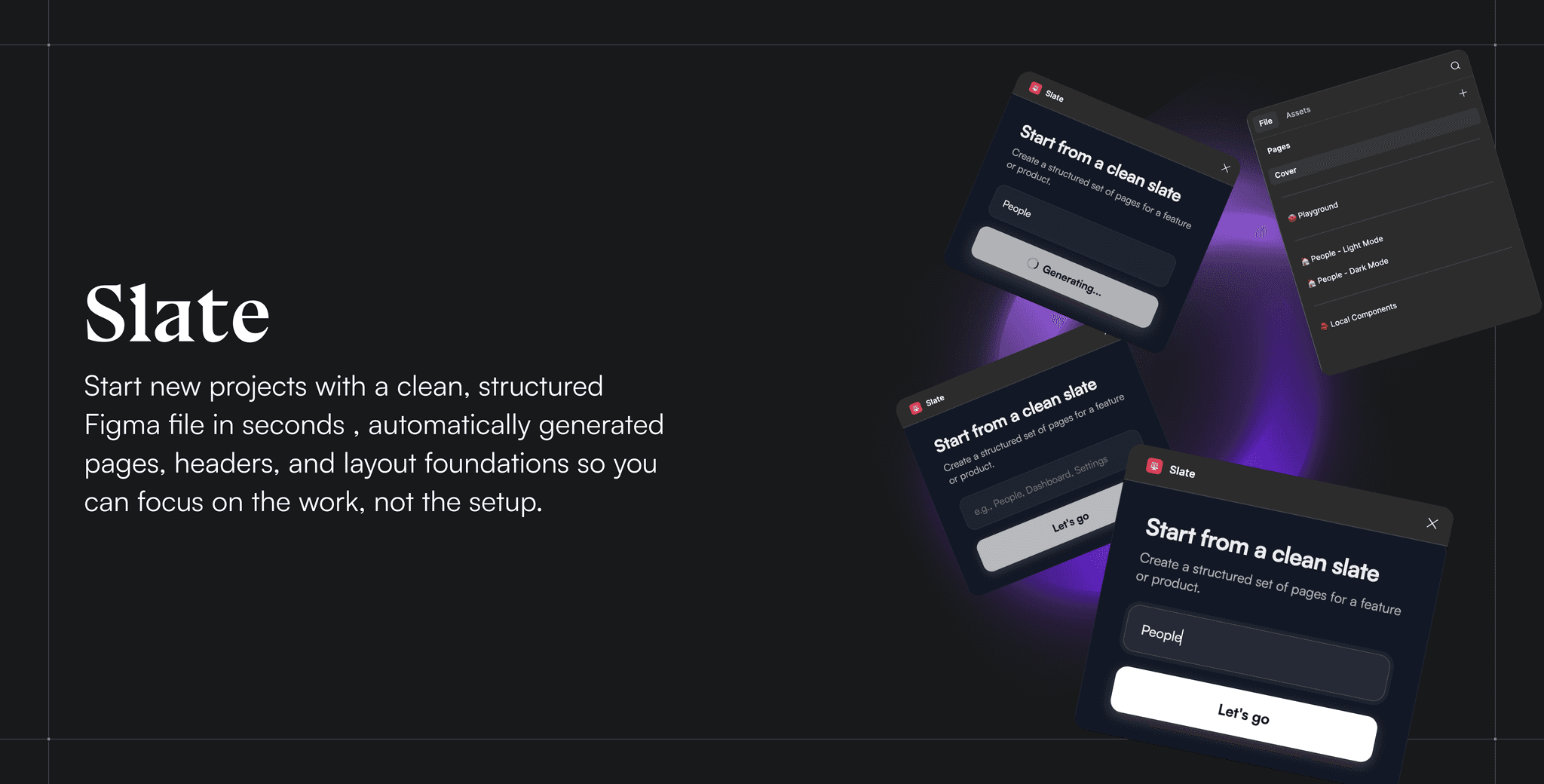
To get rid of that "blank canvas" anxiety, I built Slate. It’s a Figma plugin that handles the entire project setup for you with just a simple input. Instead of hunting down templates or manually dragging in cover pages, you just type in the name of your feature or product and, boom, you have a fully organized workspace. It instantly builds out your cover, page structure, and hierarchy so everything is clean and ready to go.
Slate basically turns a tedious chore into a single, automated step. It makes sure every project starts with a solid, scalable foundation, so you can stop messing around with file organization and get straight to the work that actually matters.
Ideation & Research
During the ideation phase, I started by looking into the Figma plugins already out there for project setup. What I found was that while plenty of tools could churn out pages in bulk, they usually felt a bit too "one-size-fits-all." They’d give you a generic list of pages, but they didn't really match the way my team, or most professional teams, actually work. They lacked a sense of hierarchy and a solid layout foundation.
That’s when it clicked: the real opportunity wasn't just about making pages faster; it was about making the initialization smarter. I wanted to move away from bulk generation and toward a system that felt more "opinionated" and intentional. My goal with Slate was to build something that gave teams a structured, reliable starting point that actually fit their workflow, cutting out the setup time without adding any extra bloat.
My design process
Building Slate was less about writing code and more about building a system. Before I even touched the plugin logic, I hand-crafted every single piece of the starting file. I mapped out the cover layouts, the page hierarchies, and even the specific auto-layout structures to make sure the end result felt "designed," not just generated. Every frame and naming convention was a deliberate choice I made to give teams a foundation they could actually trust.
To bring that vision to life, I teamed up with Cursor to handle the execution. Once I had my layouts perfected in Figma, I used Cursor to bridge the gap. I provided the AI with structured references to my frames and patterns using Figma MCP, essentially teaching it how to recreate my design decisions. This ensured that when the plugin runs, it places every element exactly where it belongs, maintaining the hierarchy, spacing, and consistency I’ve defined.
I never let the automation call the shots. Instead, I treated Cursor as an extension of my own hands, directing exactly what to build and how every piece should behave. This way, Slate doesn’t just spit out generic files; it generates a workspace that reflects real product thinking, where every page and layout is the result of an intentional design choice.

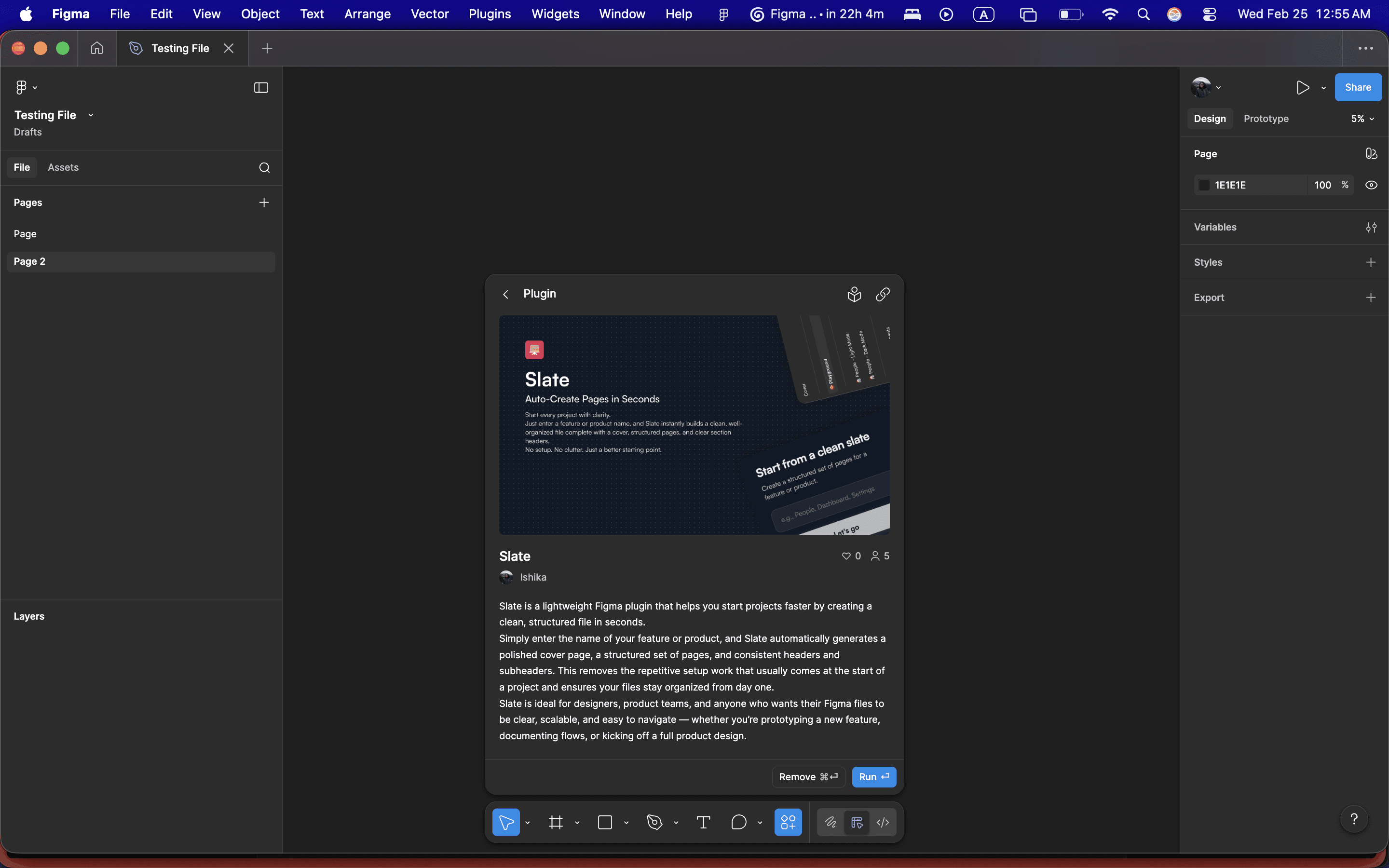


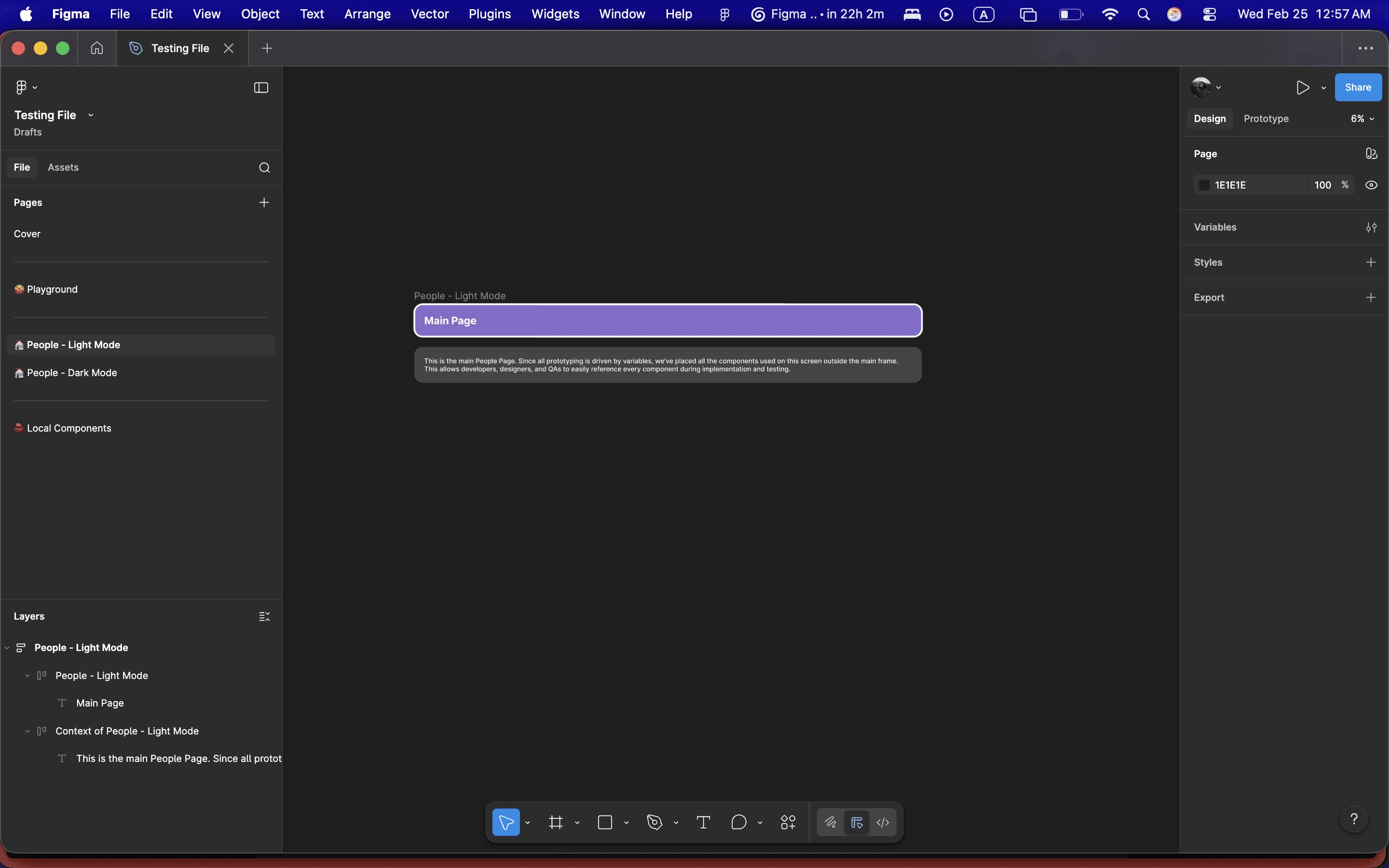


WORKING OF THE PLUGIN
Credits
Closing Thoughts
Slate shows how intentional starting structure can shape better design workflows, turning blank files into clear, consistent foundations for teams.
WORK INVOLVED
Product Design
Design Systems
User Research
Artificial Intelligence
Tools
Figma
Cursor
Claude Code
team
Design
Ishika Dixit
Motion
Ishika Dixit
Research
Ishika Dixit
Writing
Ishika Dixit