Frame Generator
Canvas Setup
Design Starter
Challenges faced
Designing for multiple screens used to be a total grind. I found myself stuck in this loop of manually duplicating, resizing, and renaming frames every time I wanted to try a new layout. It was tedious work that killed my creative momentum.
When I looked for a solution, I was surprised to find that there wasn't a simple, lightweight plugin built specifically for fast, organized frame generation. That realization, that such a basic friction point was being ignored, is exactly why I started building Forge.
Solution
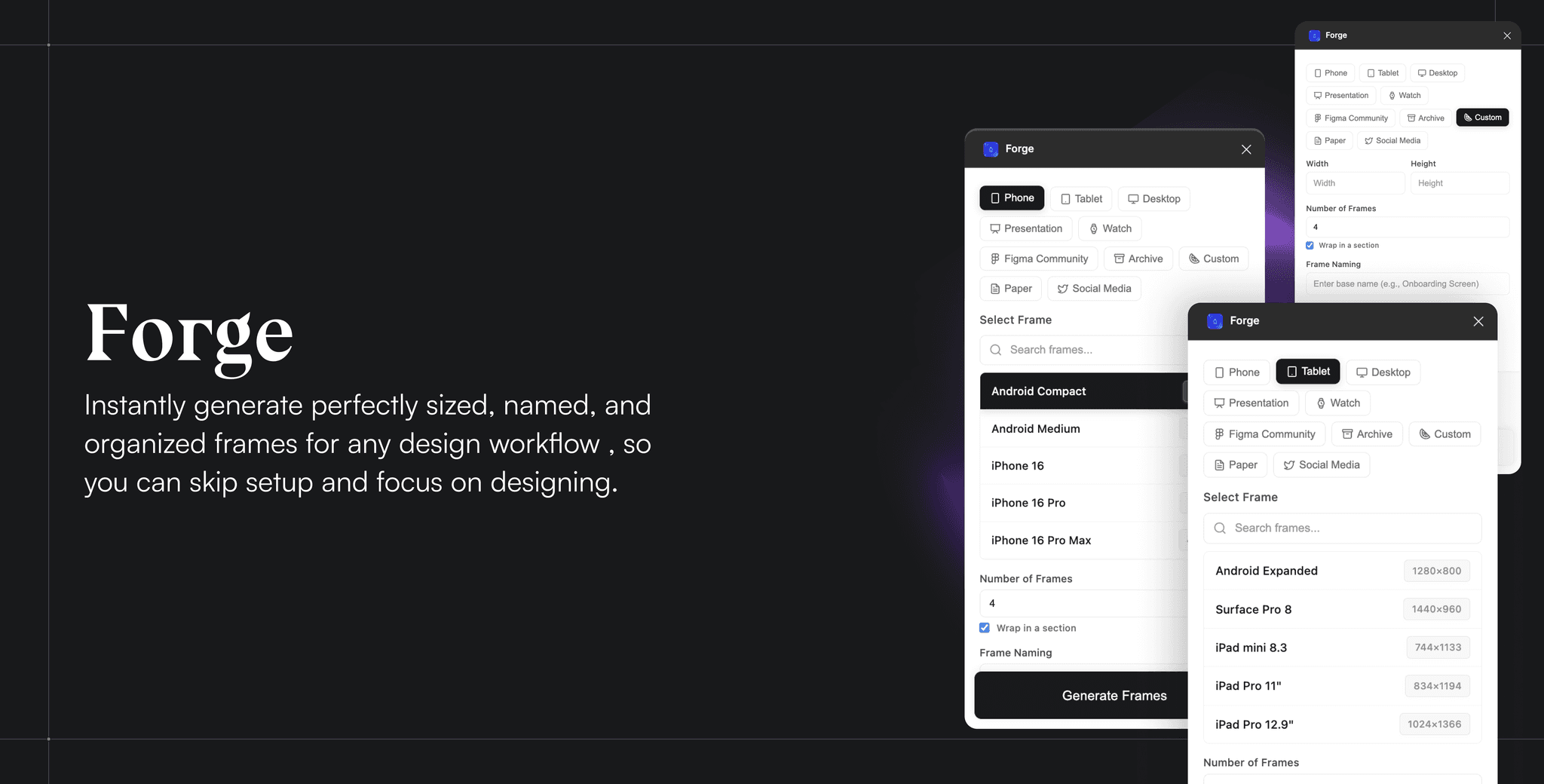
That’s where Forge comes in. I built it to take the grunt work out of Figma by automating the entire setup process. Instead of building every screen from scratch, Forge lets you generate an entire structured ecosystem of frames, across any device or size, in a single click. It effectively turns a ten-minute chore into a two-second shortcut, so you can spend your energy on solving design problems rather than resizing boxes.
Ideation & Research
When I first started conceptualizing Forge, I began by looking at my own daily friction points as a designer. I’ve always believed that the best tools are born from identifying the small, repetitive tasks that quietly kill creative momentum.
My research confirmed that while Figma is incredibly powerful, there was a glaring gap in the "setup" phase of a project. I looked into existing plugins and software solutions, but most were either too bloated with features I didn't need or didn't focus enough on the initial structural organization. I noticed that designers were still stuck in a loop of manually duplicating, renaming, and resizing frames for every new device or layout, a process that felt surprisingly primitive.
Through this research, I identified a specific opportunity: there was no truly lightweight, focused tool dedicated entirely to fast, structured frame generation. This insight, that such a common friction point was being ignored, is exactly what became the foundation for Forge.
My building process
The magic begins here. Like all product designers, following my initial research, I started wireframing the layout, determining the look and feel of the product, and identifying which features to highlight.
I do have one confession to make: during the creation of Forge, the overall flow and features kept changing from ideation to wireframe to visual design, just like a game of "Chinese Whispers," but in a positive way. Once I start, I often realize that a feature I initially thought was essential might not seamlessly integrate with others I’ve chosen to include. Thus, the design I create continuously adapts with each step and every rectangle I draw.
To bring this to life, I acted as the Architect and Creative Director, while using Cursor as my primary execution engine. Being a designer first, I focused 100% of my energy on the logic, user experience, and structural "why," while offloading the heavy lifting of the codebase to AI. This partnership allowed for a high-speed development cycle where:
I defined the logic; Cursor wrote the syntax: I mapped out exactly how the frame scaling and naming conventions should function, using Cursor's Composer to translate those design rules into a functional Figma plugin.
Rapid Prototyping through Prompting: When I realized a feature didn't feel right in the UI, I didn't manually refactor code, I used Cursor to instantly pivot the backend to match my updated vision.
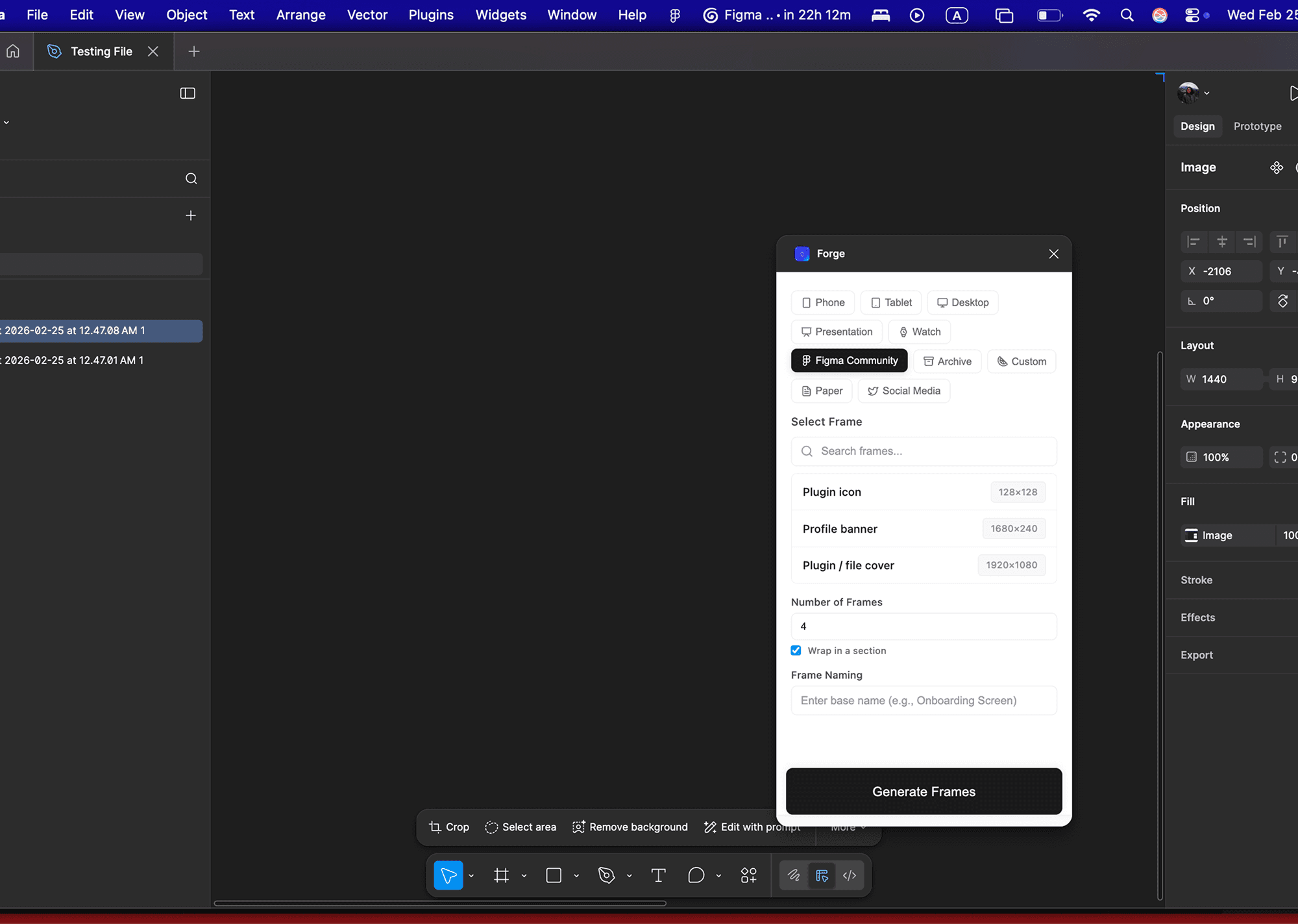
Bridging the Gap: I broke the technical build into three main sections: the Selection UI, the Automated Scaling Engine, and the Naming Convention Logic.
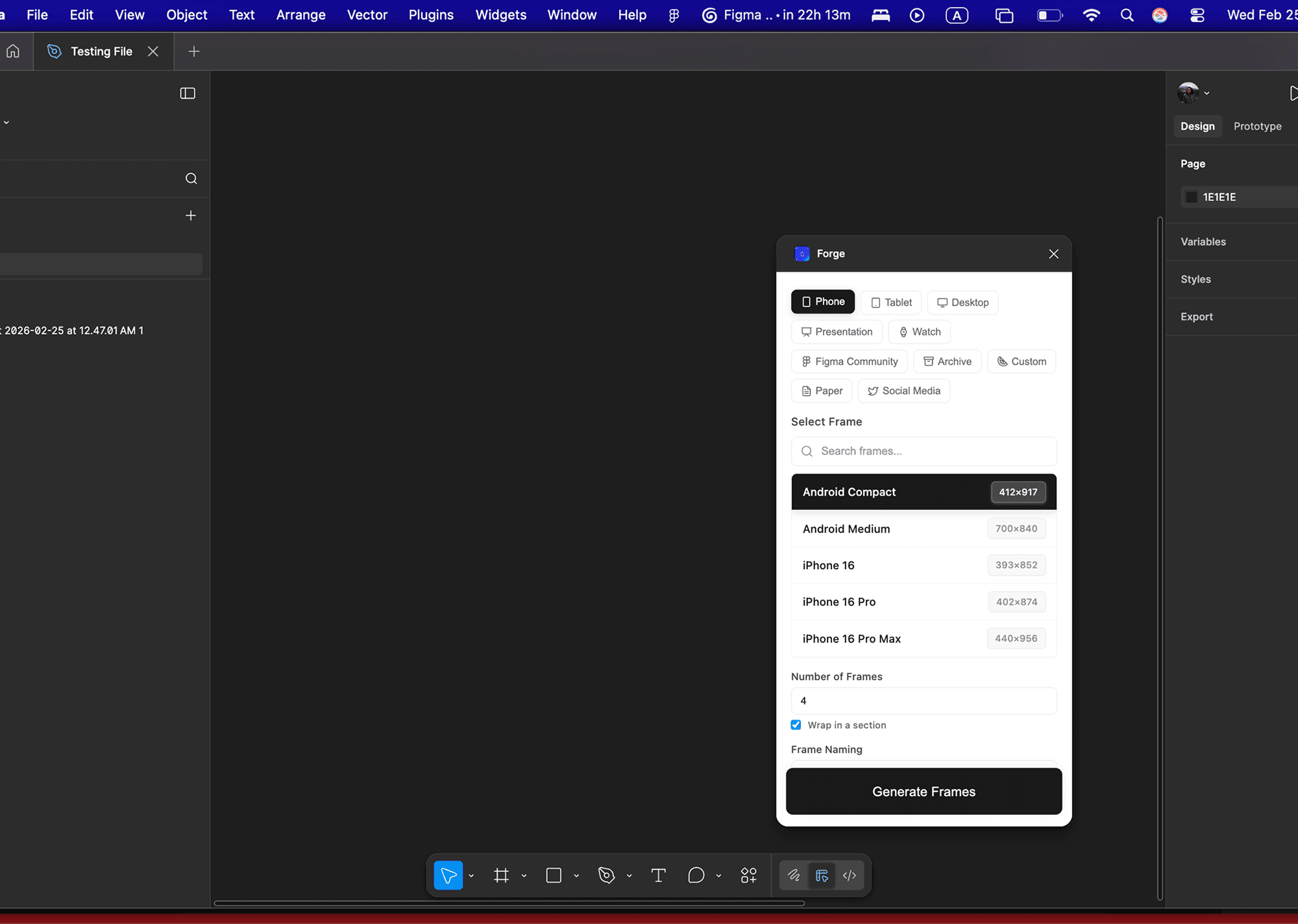
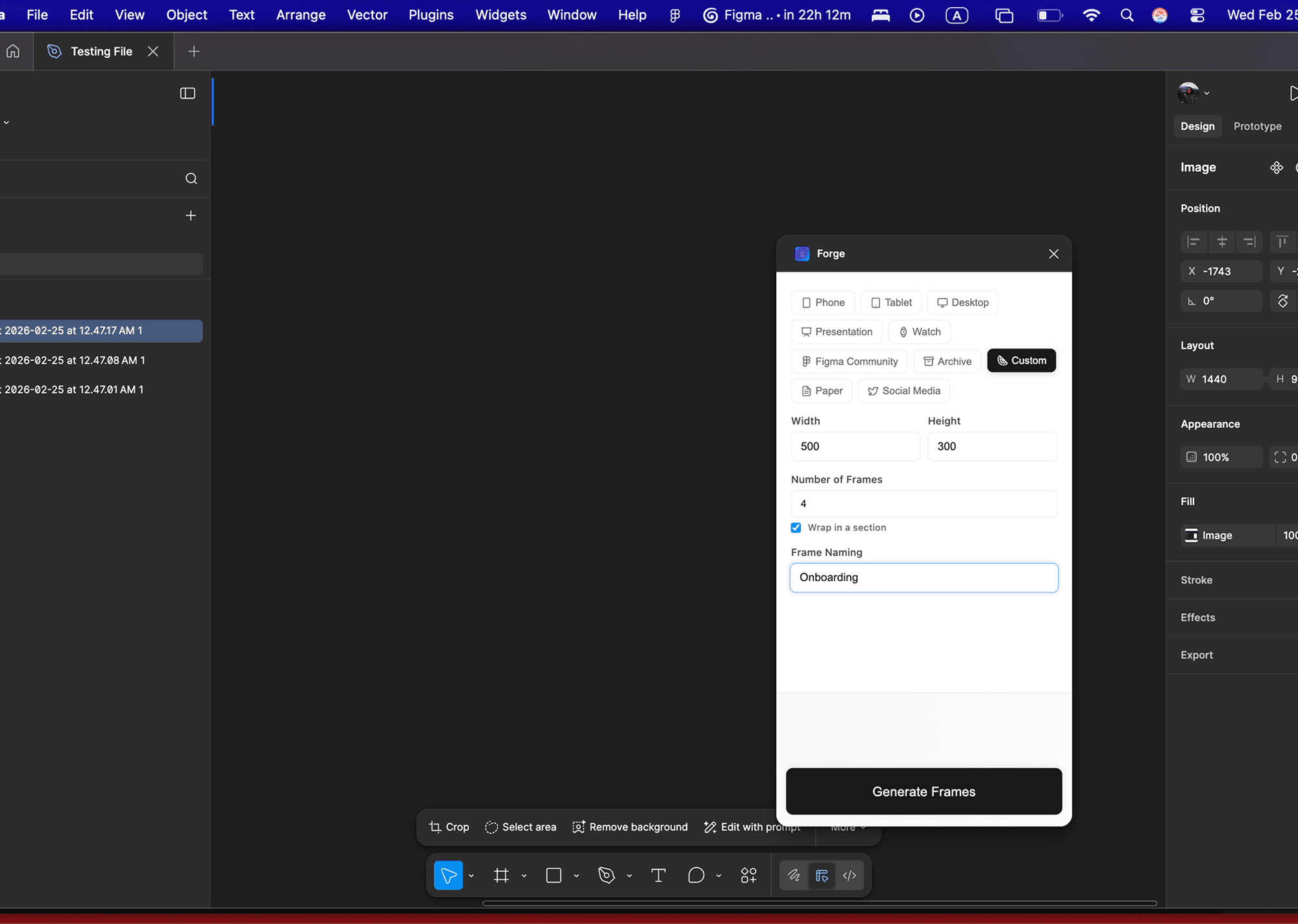
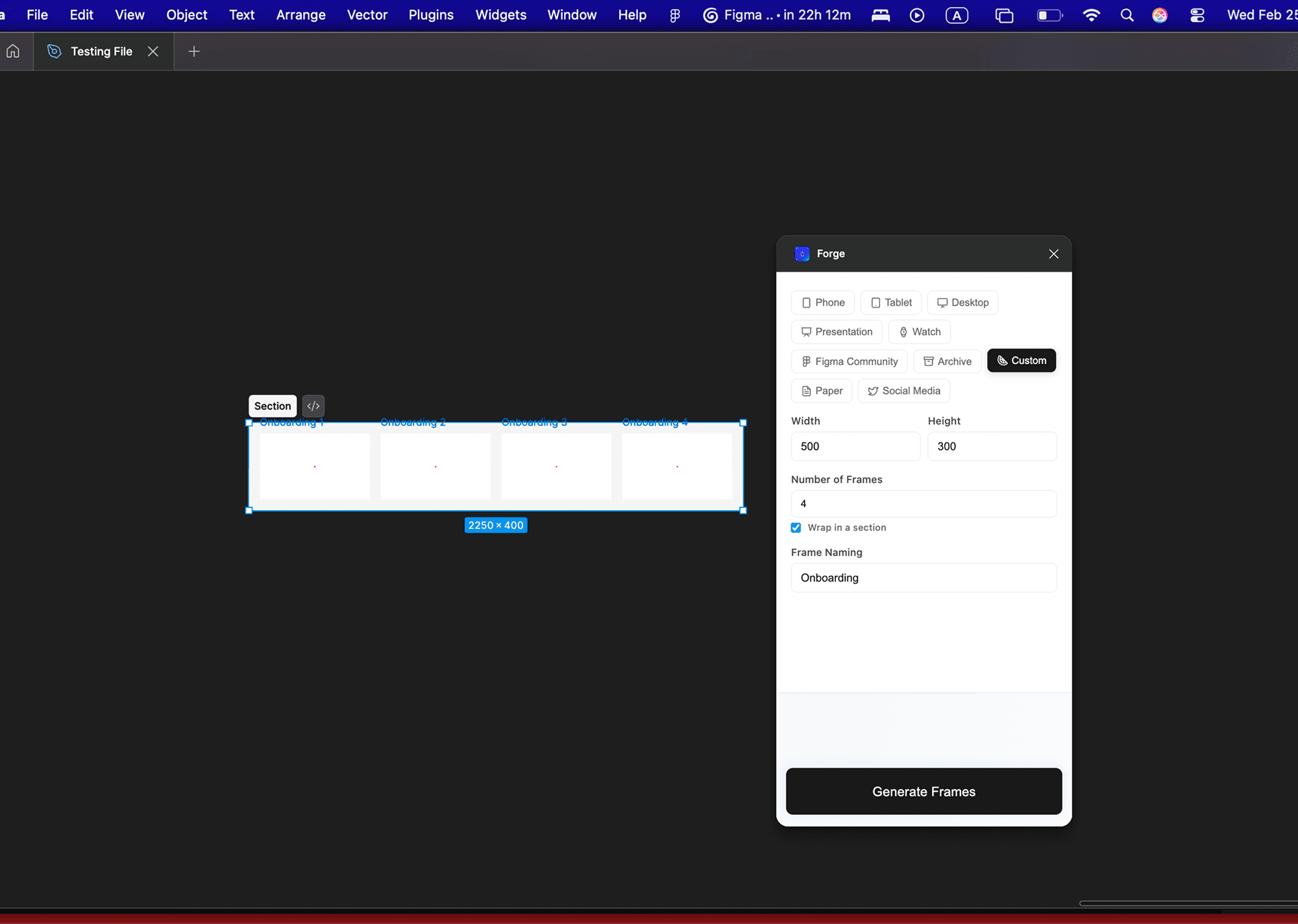
WORKING OF THE PLUGIN
Credits
Closing Thoughts
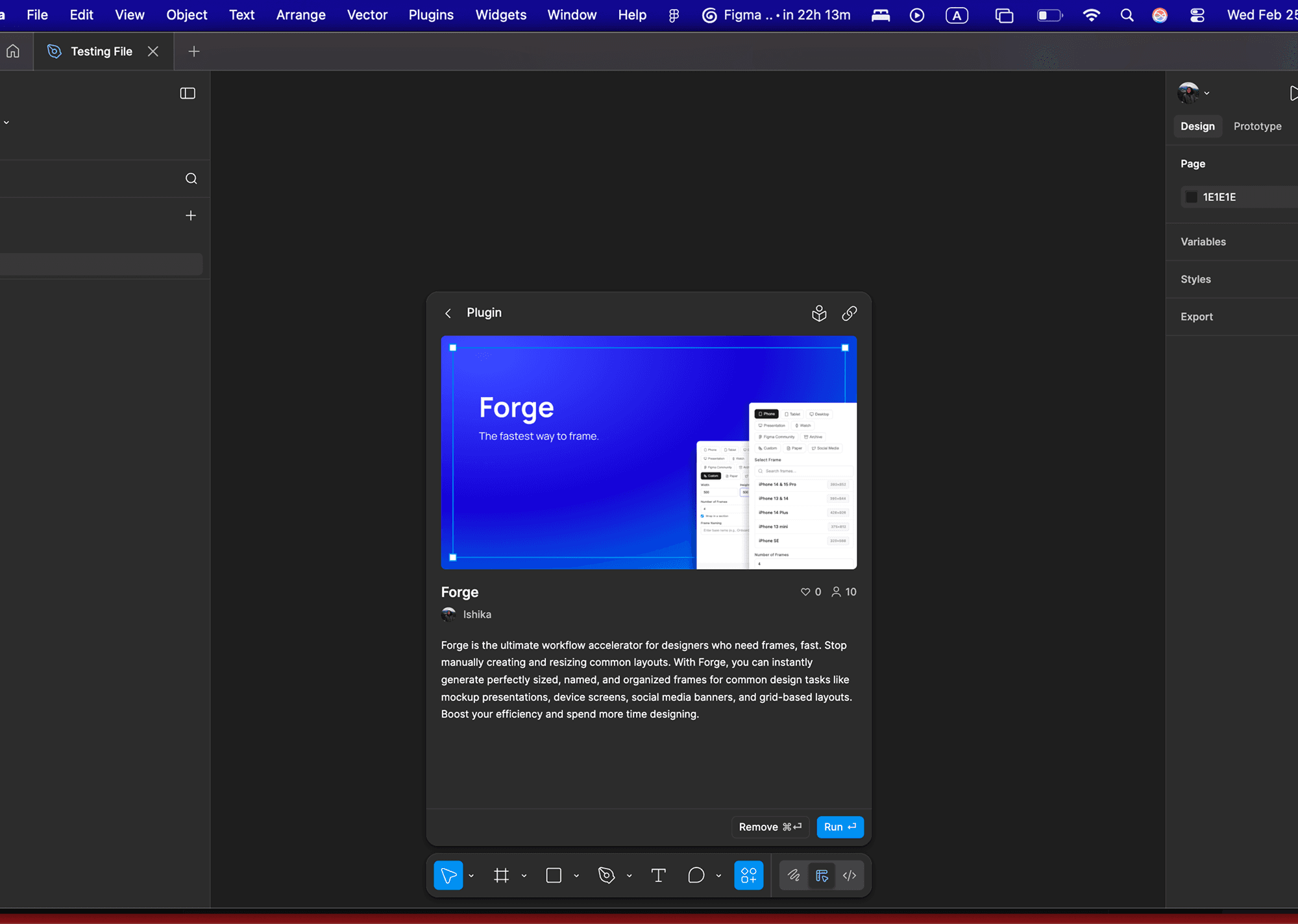
Forge is more than just a time, saver; it’s a reflection of how AI can fundamentally shift the design process from manual execution to high-level strategy. By using Cursor to bridge the gap between my design intent and the final codebase, I was able to build a tool that honors the need for speed without sacrificing the structured organization essential for professional Design Systems.
WORK INVOLVED
Product Design
Design Systems
User Research
Tools
Figma
Cursor
team
Design
Ishika Dixit
Motion
Ishika Dixit
Research
Ishika Dixit
Writing
Ishika Dixit